

Your Apple Watch can literally get you into Disney World, and not enough people know about it.
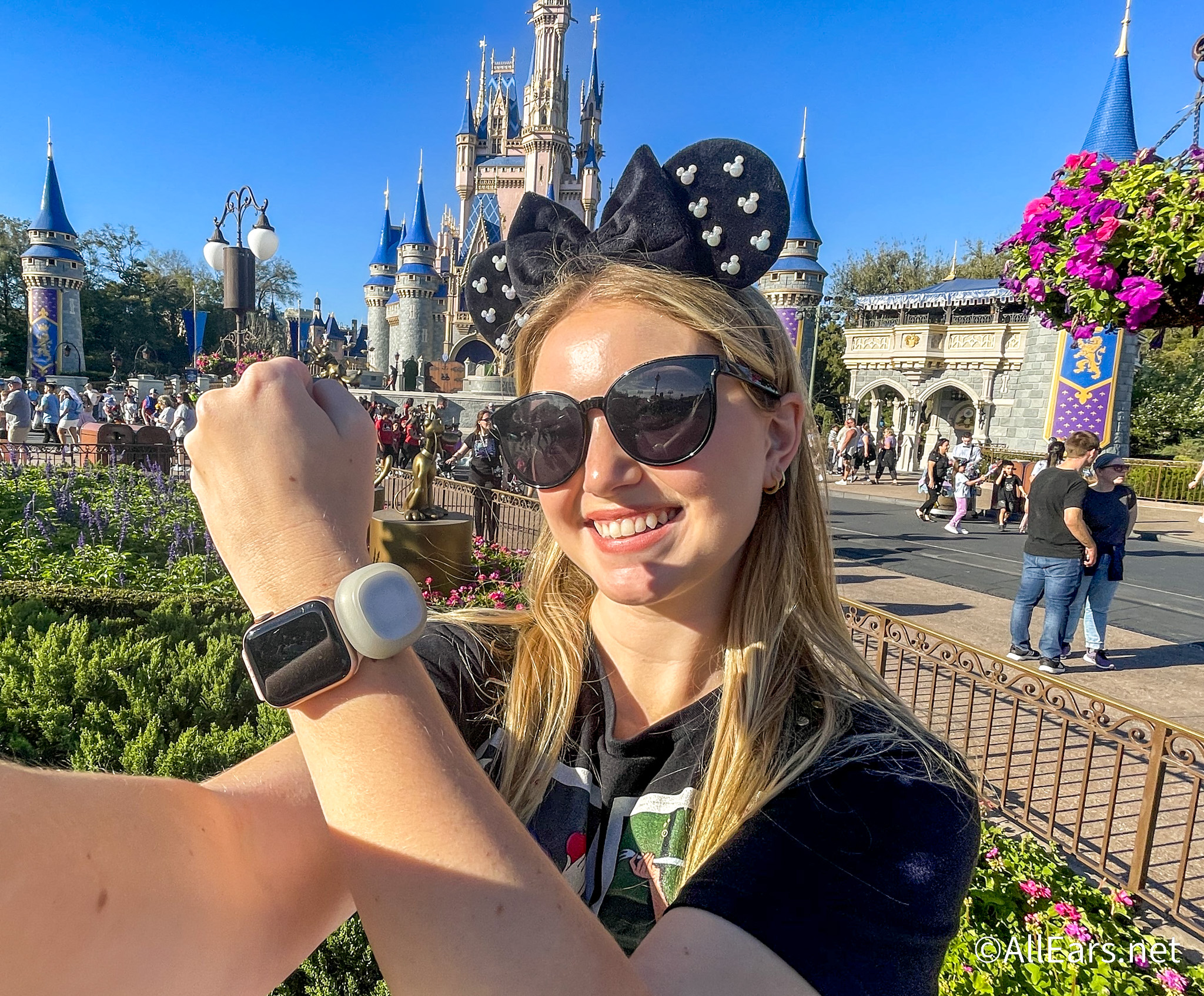
Disney’s MagicMobile Service is one of those features that doesn’t get nearly enough attention, and if you haven’t set it up yet, you’re honestly leaving a super convenient option on the table. Whether you’re a die-hard MagicBand fan who just wants a backup or someone who’d rather skip the band altogether, this setup is quick, free, and works with both your iPhone and Apple Watch. Here’s exactly how to get it going before your trip.
What MagicMobile Actually Does
Before we get into the steps, it’s worth knowing what you’re working with here.

Once you’ve got your MagicMobile pass set up, you can use it to enter the theme parks with valid admission and a park reservation (if required), check in at Lightning Lane and Virtual Queue entrances, link your Disney PhotoPass photos, and even charge food and merchandise to a credit card tied to your Disney Resort hotel room. It really does cover all the bases.
What You’ll Need Before You Start
You’ll need the My Disney Experience app downloaded on your iPhone; this is the only place where you can set up MagicMobile, so there’s no getting around it. You’ll also want to make sure your park tickets or hotel reservations are already linked to the app before you start.

Quick tip: If it’s easier, you can actually add your tickets and reservations through the Disney World website on your computer first, and then hop back into the app on your phone to finish the digital pass setup. Both ways work just fine.
How to Set It Up
Once you’re in the My Disney Experience app, tap the three-line hamburger menu in the bottom-right corner of the screen.

Scroll down until you see “Set Up MagicMobile Entry” and tap on that.

From there, you’ll get to choose your digital pass style (yes, there are options to personalize it).
Choose Your Pass Style
One of the fun parts of this process is picking a design for your digital pass. Disney offers several themed styles featuring different characters and colors. The design doesn’t change how the pass functions, but it does add a little personality to your digital ticket.

After you pick your preferred look, continue through the prompts in the app to add the pass directly to your Apple Wallet.
Using It at the Parks
Once your MagicMobile pass is in your Apple Wallet, it’ll be accessible on both your iPhone and your Apple Watch, which is the part that makes this whole thing so great. When you’re at a park entrance or a Lightning Lane touchpoint, just hold your device near the reader, and you’re good to go.

Here’s the part that makes Apple devices especially seamless: Express Mode is automatically enabled when you add your MagicMobile pass to your Wallet. That means you don’t have to open your phone or even unlock your watch, just tap and you’re through. It really does feel like magic.
Bottom Line
MagicMobile is a completely free service; it takes almost no time to set up, and having it ready on your Apple Watch means you’ve got one less thing to think about in the parks. Even if you’re someone who loves wearing a MagicBand, having this as a backup option is never a bad idea.
And with how expensive MagicBands are now, this is another easy option to save money in the parks if you already have an Apple Watch!
As always, stay tuned to AllEars for more Disney World tips, tricks, and planning advice to help make your next trip even easier.
6 Important Rules to Know Before Visiting EPCOT’s Norway Pavilion in 2026
Have you tried using MagicMobile on your Apple Watch? Tell us about your experience in the comments below!















Trending Now
If you’re headed to Disney World soon, make sure you break in an ELITE pair...
Universal Orlando's Horror Make-Up Show is getting reimagined!
If you're in the market for a new park bag, there are SO many new...
Whether you're dressing for a park day, prepping the kids for a trip, or just...
ALDI just made your next road trip 10x easier!
Who doesn't love a Disney gift card deal?
If you are visiting Universal Orlando this May, pay attention to these FIVE ride closures!
There's a new Tinker Bell Loungefly online, and we LOVE it!
This is all you need to know about Universal Kids Resort opening in Texas in...
These Disneyland rides will be closed at various points in May.
Disney quietly announces that this Disney Springs store is permanently CLOSING next week.
We're sharing all the glow-in-the-dark Loungefly bags you can find on Amazon right now!
We've compiled a list of every Disney Loungefly on sale in May!
Is this Renaissance Orlando Resort hotel worth the stop? Our answer is a resounding YES!
You can have the best park strategy in the world, but if your shoes are...
Disney's Haunted Mansion has a very interesting history! Learn about it here!
Know these rules before you use TSA PreCheck in 2026!
Big things are happening at the Magic Kingdom this summer.
Grab these Loungeflys while they're on sale!
Did you know all of these details were hidden inside of Walt Disney's Carousel of...