


Legions of Disney Parks lovers return “home” year after year whether it’s to Anaheim or Lake Buena Vista or perhaps Paris, Hong Kong, or Tokyo. We’ve bought the single and multi-pack postcards and mailed them off to family and friends. A question I always ask myself is, Am I sending the same postcard to (insert name here) again? I can’t recall which set of postcards I bought last time. Was it Epcot or perhaps Animal Kingdom? Crikey. I haven’t the foggiest idea.
Well, I came up with an idea and started creating my own postcards and why not, I have hundreds if not thousands of images from which to choose. Not only that but I can make them artsy and truly separate mine from those mass produced.
Here’s what you’ll need to create your personal postcards:
1. A sharp image you took on a previous trip
2. Photo editing software
3. Creativity
4. A local printer or online printer to produce the postcards
I started with this recent photo taken at the entrance to Rock ‘n’ Roller Coaster® Starring Aerosmith at Disney’s Hollywood Studios.
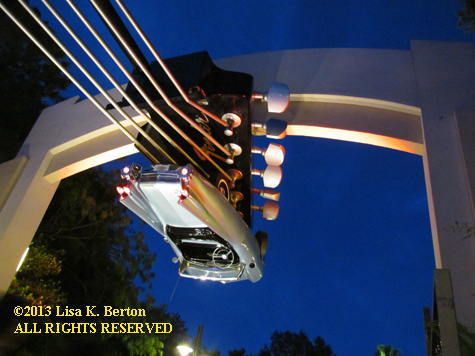
Taken with my Canon PowerShot SX30 IS. I used a mini tripod and set it on a trash can. ISO 800 f3.2 1/6 A long exposure allows the camera to record light and colors correctly in low light.
You don’t have to use professional photo editing software to crop, adjust contrast and color, and add effects. I happen to use Adobe Photoshop CS3. Take a look at cnet.com for photo editing software and free trials. Just remember to be careful when downloading anything from any website. Make sure your anti-virus protection and firewall are working.
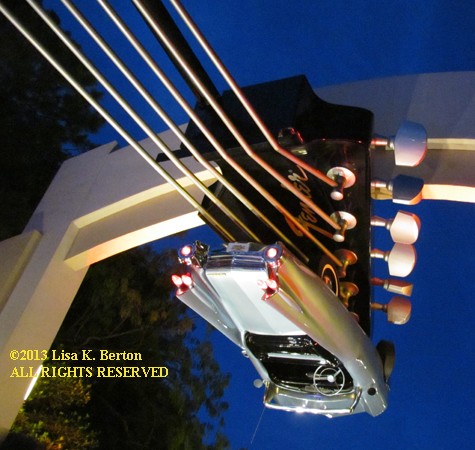
With the software I made my first crop, taking out space that doesn’t take away from the overall image. Then I added lens flare to the headlights followed by lighting effects. You’ll notice the top right and bottom left corners are very dark, also on the top left, creating a more dramatic look.
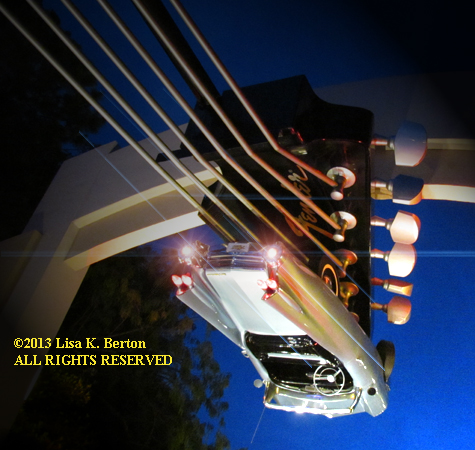
Since we’re designing postcards, add some text to the photo, perhaps the location or a friendly message. You can search for Disney fonts at www.mickeyavenue.com or a broad range of typestyles at dafont.com
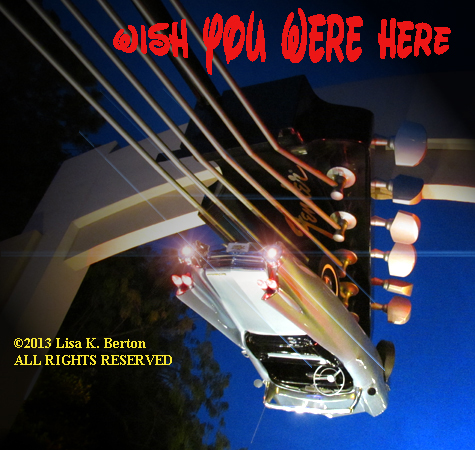
This font is called Waltograph. I also used a warp text effect called bugle.
One website that doesn’t require you to purchase large quantities of postcards is Zazzle.com. Start with a blank slate or select designs.
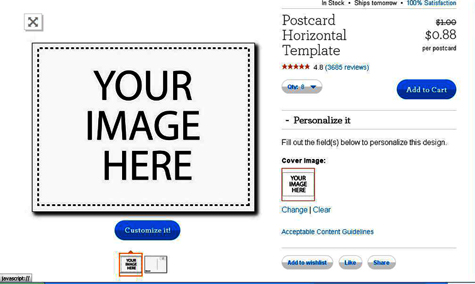
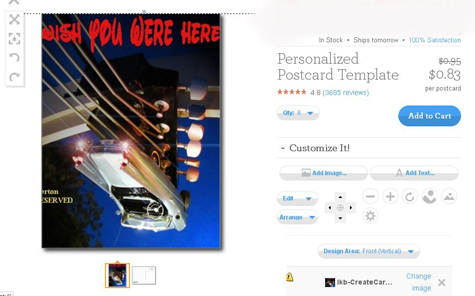
Before uploading your image to any website, make sure to read the guidelines regarding image size and quality. You don’t want to waste money on blurry images and have everyone call you and ask, Where did you go, again?
Don’t worry, my actual postcards don’t have half my copyright mark slapped onto the front. It’s imprinted on the back.
There you go. You can create your very own unique souvenirs that people will keep.
“Like my Facebook page and see my photo gifts or follow me on Twitter, my handle is lisano1.










Trending Now
We might have just found the cutest dessert in all of Disney World.
Construction on Disney World's newest lounge and restaurant is coming along!
Here's every announcement Disney just dropped about Villains Land.
Disney to cut medical insurance for employee spouses with other coverage options.
This new activity to do at Disney Springs is a must try on your next...
Between EPCOT and Disney's Hollywood Studios, there's a clear choice on which park has the...
We're sharing the 5 things we wish we knew before going to Halloween Horror Nights!
We genuinely thought this EPCOT project was DEAD. Six years after Disney quietly put a...
A NEW Disney patent was just approved!
Don't fly without these TSA-approved items.
Whether you prefer a park bag that's nostalgic and ultra-detailed, or one that's more classic...
These are the Disney Loungeflys that are on sale right now on Amazon!
Disney World hotel experts have RULES. 👀 We asked our team what they absolutely refuse...
Big Top Souvenirs just reopened at Magic Kingdom!
Planning to go from a Disney World park to Disney Springs? There’s one transportation rule...
Disney World restaurant menus changed this week!
Let's build some Disney LEGO sets!
You'll need to follow this dress code at this year's Oogie Boogie Bash in Disney...
Calling all Disney and beauty fans! Here are 13 items, inspired by Disney, that every...
A new Mater Loungefly collection just dropped online!