Disney’s PhotoPass at Disneyland
The Photographers | Special “Magic” Poses | Photographer Maps | Locations & Park Tips | Money Saving Tips| General Tips| Tips on Posing| Products & Prices| Contacting PhotoPass
What is Disney’s PhotoPass?
It used to be Disney’s photographers would take pictures of you in a park and give you a slip of paper to claim the photos at the end of the day. If you forgot or if you couldn’t get the picture(s) that day, you were out of luck. But now, that’s all changed… and for the better! With the advantages of digital photography, Disney created the only system of this kind: the photographers still take pictures of your vacation, but now you can claim them any time, including online for 30 days after your trip is over. From there you can view your photos, order prints, and create photo keepsakes. Many guests say since PhotoPass has done away with the long lines to pick up their pictures, they had more photos taken.
Beginning in 2011, Disneyland guests will become the stars of a nightly spectacular when photos taken in the park that day become larger-than-life projections on “it’s a small world” as part of the new “Let the Memories Begin” campaign. The projected photos will be selected from among those taken by PhotoPass photographers. As many as 500 photos will be used every day!
How does PhotoPass Work at the Parks?
As Disney likes to put it: Smile! View. Shop.
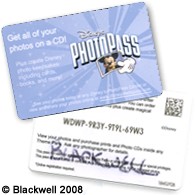 Smile!: Look for the Disney photographers throughout Disneyland‘s two parks. (Photopass is also available at the Walt Disney World Resort and New York City’s World of Disney.) The first photographer will give you a plastic Disney’s PhotoPass card with an ID number on the back. Hang onto that card and use it for the duration of your trip. In fact, you can hang on to it and use it on every trip you take! Each time you see one of the roving photographers and want a photo taken, just go up and hand them your card – they’ll get you situated, snap the pose, scan your card and off you go – and you can do this as often as you like. Don’t worry if you end up with more than one card; your online PhotoPass account allows you to enter multiple cards!
Note! – when you first receive your card, be sure to write down your ID number or take a clear digital photo of it. Cards can get lost or mixed up with another guests. If you have your number, you have your photos! (People also write their family name on the back, like in the example on the left, or put an address label on the card, so they make sure to get the right card back.)
View: You can view your pictures in two different ways:
In the parks: go to a Photo Center like the station pictured below. See the information tables below for all the Photo Center locations.

At home: go to http://www.disneyphotopass.com/, register for free, and enter the I.D. number on your card.
Disney will break down your photos in different views: All of your photos, and then one category for each park. The number of photos that you have for each category is listed right next to its name.

Remember, you can upload your own trip photos to take advantage of the PhotoPass sytem. Go to the View All & Order tab at the top of the page, and select My Uploaded Photos from the dropdown list. Plus, Disney’s PhotoPass now has the option to pull any photos from your facebook account as well. Simply log into Disney’s PhotoPass to see the Facebook link. Now you can edit all your photos, add borders and effects, and share them with your friends and family. Disney also provides photos they’ve taken of the characters and the parks, as well as a holiday section and Adventures by Disney. Select Disney’s Photo Gallery from the dropdown list under the View All & Order tab or view them underneath your own PhotoPass photos, categorized by location and holidays.
Shop: you can create prints, customized photobooks, t-shirts, mugs greeting cards, and more. For the best value on prints, get your PhotoPass photos on Disney’s PhotoCD. For more on products, see Products & Prices below.
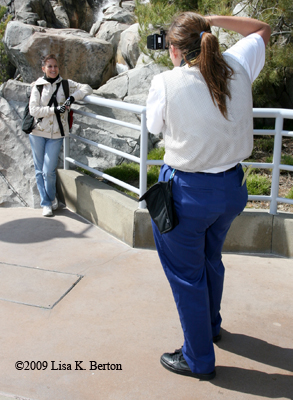
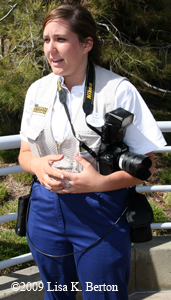 Costumes – PhotoPass Cast Members (no matter what park they are in) have a standard costume, like the one pictured on the left: blue shorts or pants, white shirt, khaki photographer’s vest. Sometimes they have on a white or tan hat.
What are the special “magic” character poses?
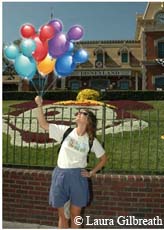 The photographers will ask you to do some fun poses. For example, the photographer will have you cup your hands or have you put them in the air like you’re lifting something. When you view your photos, you’ll see Tinkerbell, Figment, or Simba now added to your “magical photos”. A lot of magic can appear like these Mickey balloons on the right, added to your hand!
Please note: a PhotoPass manager told us the new Mickey balloons poses are available at every PhotoPass location. We know for a fact it’s available in front of the Train Station at Disneyland, but haven’t tested if it is at the other locations. Let the photographers at the other locations know you were told you can have it, and then please send let us by using the feedback form at http://allears.net/forms/feedback.htm and choose the “Submit Tips” option.
Locations & Maps – Print these PhotoPass Photographer Maps! Look for a PhotoPass photographer wherever you see this camera symbol  . These are the only maps showing PhotoPass locations, but in general, you’ll find the photographers near any park entrances, the main icons, and at most Disney character meet and greets. They can also temporarily be at special locations such as around holiday decorations.
You can also print the following tables. They also list locations, tips, where you can preview your photos, and the characters that will show up in those special poses. Have a favorite character that can magically appear? Or a favorite park location? These tip tables will tell you where to find them. (Note: Due to weather and photographer availability, photo locations are subject to change without notice.)
| Locations & Park Tips Index | |
| Disneyland | California Adventure |
| Dining Locations | Special Event Locations |
Disneyland:
Note: View your photos at Main Street Photo Supply Co.
| Location | Tips | Special Poses Characters |
|---|---|---|
| Train Station | Look for the photographers at the front of the Train Station | Tinker Bell and Mickey balloons! |
| Main Entrance | Classic scenic shots include spots near the Main Entrance at the tip of Town Square on Main Street, U.S.A. | Tinker Bell |
| Town Square | Disney has a great display of balloons, invitation, and a banner reading Celebrate Today! | Tinker Bell, Minnie Mouse, Mickey Mouse |
| Partners Statue | Tinker Bell | |
| Castle Area | Tinker Bell | |
| Haunted Mansion | Hitchhiking Ghosts inside the entrance. Mickey or Minnie outside the entrance’s fence. | |
| Fantasyland | Disney Princess Fantasy Faire is the perfect place for posing with the princesses. You can also have your photo taken at Pixie Hollow, plus get your photo done with the Matterhorn in the background. | |
| Tomorrowland | Have your photo taken in front of the Finding Nemo Subs. In the evening, photographers take pictures outside of the AstroOrbitor & Space Mountain. At the Jedi Training Academy (located outside the Tomorrowland Terrace): Darth Vader poses for pictures, even if you are not in the show | Lightsaber blades are added to your battle with Darth Vader. |
| Frontierland | Rivers of America has photographers, and so does Big Thunder Mountain | Captain Hook at Rivers of America |
| Tom Sawyer’s Island | Captain Hook | |
| Mickey’s Toontown | Be sure to stop in Mickey’s House. He even has a movie set from Steamboat Willie! | |
| Critter Country | Winnie the Pooh and his friends are waiting to meet you |
Disney California Adventure Park:
Note: View your photos at Greetings from California
| Location | Tips | Special Poses Characters |
|---|---|---|
| Main Entrance | Start with a fun portrait with the Golden Gate Bridge or a Greetings from California postcard in the background just as you enter the Main Entrance into the California fun! | Tinker Bell; Mickey, Minnie, & Goofy Soaring in a hang glider. |
| Sunshine Plaza | Disney characters can be found in Sunshine Plaza and on Hollywood Boulevard. Check the Times Guide when you get to the park for the latest meet and greet times. | |
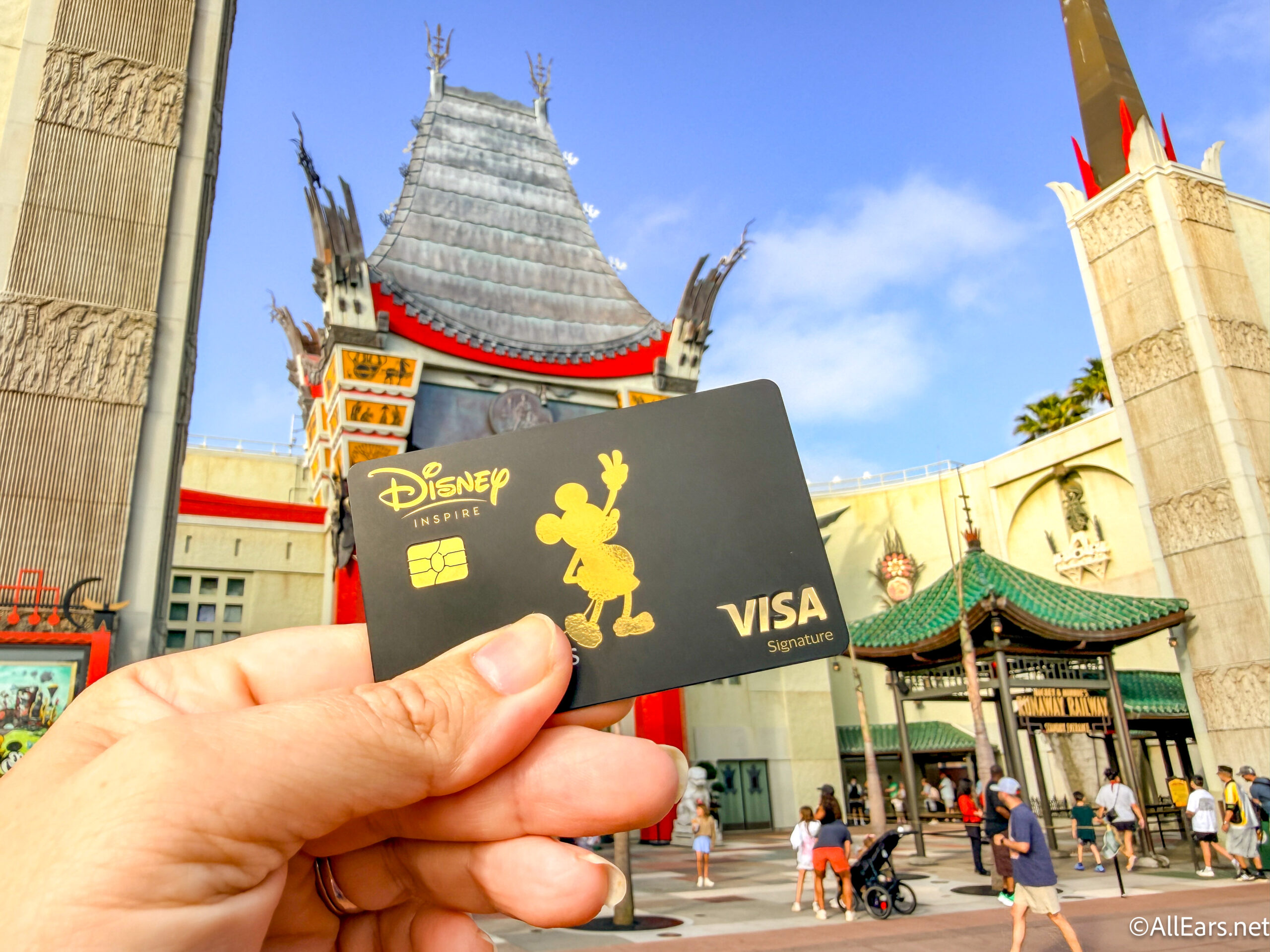
| Hollywood Entrance | FREE photo for Disney Visa Cardholders! Go to the the Hollywood Pictures Backlot area of Disney California Adventure for the first hour and a half that the park is open. Show your Disney Visa and your family will be escorted to a private area where you will meet some Disney characters. Then stop by the Kodak store on your way out and get your free 5 x 7 photo! | |
| Hollywood Hyperion Area | Stitch coming up out of the pavement | |
| Tower Courtyard | Capture the thrill (or is that fear?) as you head toward the Twilight Zone Tower of Terror™. (Note: The photo taken during the ride is separate). | Stitch coming up out of the pavement |
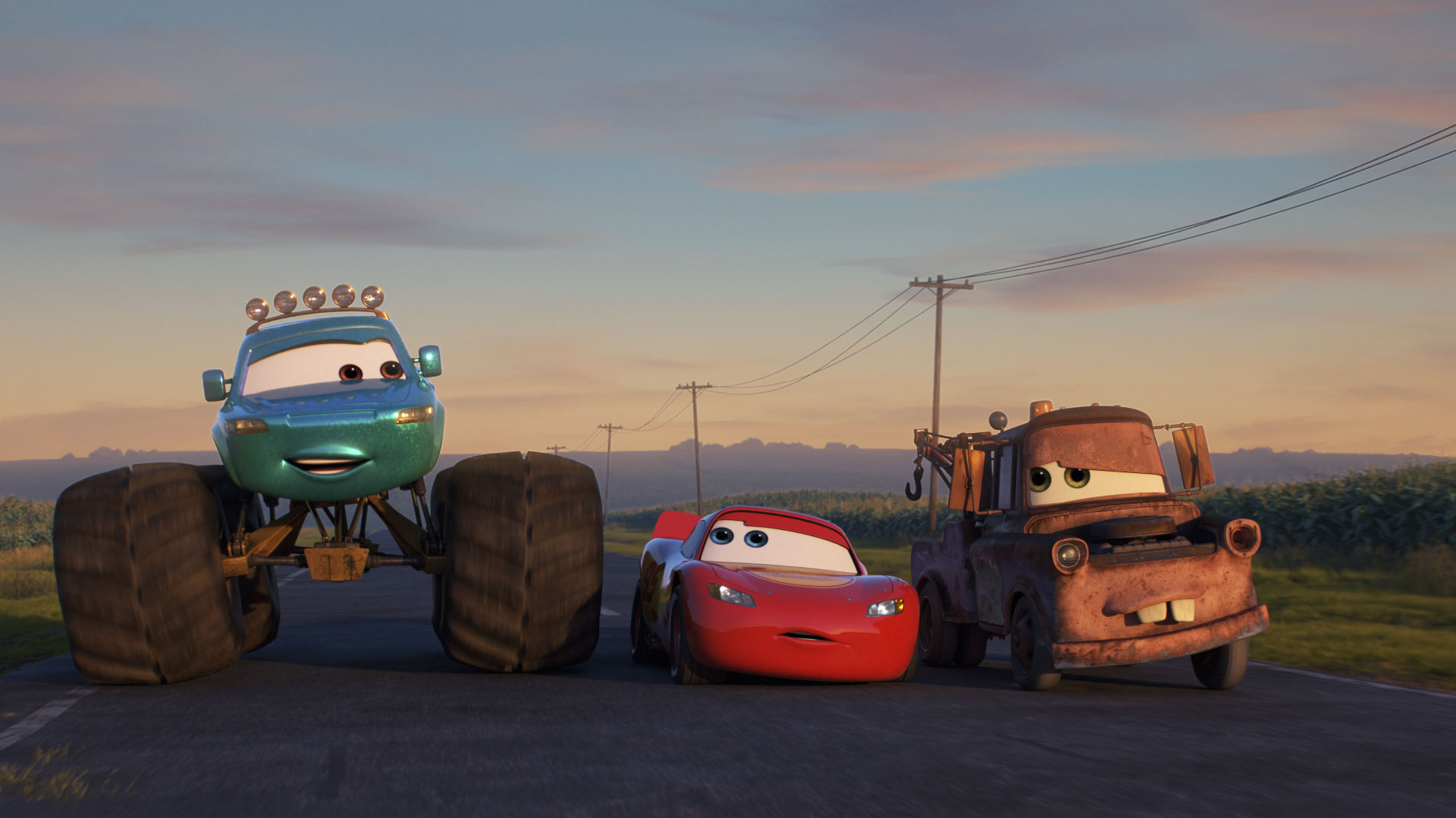
| Condor Flats | Your friends from Cars pose for pictures at the Meet and Greet area next to the Fly’n’Buy store | |
| Grizzly Peak Recreation Area | Grizzly Peak in the background
Photos outside the Grizzly River Run |
|
| Parade Route Waterfall | ||
| Paradise Pier Bridge | Stop for photos with some terrific backgrounds at the waterfall along the Golden State walkway and on the bridge near Paradise Pier. Night photos come out just beautifully here! | |
| King Triton’s Carousel |
 PhotoPass is also available at select dining locations. If you purchase the photos offered tableside, they can add your pictures to your Disney’s PhotoPass account. (Note: Tableside photo purchase is required to add dining photos to your Disney’s PhotoPass ID.)
Disney’s PCH Grill at Disney’s Paradise Pier Hotel
Goofy’s Kitchen at Disneyland Hotel
Ariel’s Disney Princess Celebration at Disney California Adventure
Breakfast with Minnie and Friends at Plaza Inn
More locations are added during special times such as for the holidays and Mickey’s Halloween Party. Like the regular locations, these can change.
Other holiday locations
- Christmas trees at the Disneyland entrance and California Adventure’s Paradise Bay
- Santa’s Sled at Disneyland’s Big Thunder Ranch
- Halloween Pumpkins at Disneyland’s Town Square
Disney’s PhotoPass Money Saving Tips
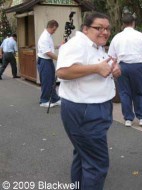 Disneyland Guests Save Money on the CD! The PhotoCD can be a great value, especially for Disneyland and California Adventure guests. Its normal price is $124.95, but if your photos are all from the California parks, the PhotoCD is only $59.95. You don’t have to do anything special; just enter your card ID(s) on Disney’s PhotoPass site normally, and it will adjust the price at checkout. Note: if you have both Disneyland and Walt Disney World photos in your account, and the Disneyland photos are the latest ones, you will still get the lower price. If your Disneyland trip is before your Walt Disney World, it will charge you the full $124.95. But you can still save money! Buy it through Disney’s PhotoPass Pre-order PhotoCD page and save 20%, reducing the price to $99.95. Even though it’s called a pre-order, you can do it after your trip, right up to the 30 day deadline with your photos. You can also buy it for this reduced price in the parks at any of the Disney PhotoPass Centers, although PhotoCDs purchased in park do not include the ability to add graphics or character signatures. See more under Products – PhotoCD.
Save more money with specials! Check out the PhotoPass Special Offers page. You’ll have to login.
FREE photo for Disney Visa Cardholders! Go to the the Hollywood Pictures Backlot area of Disney California Adventure, by Monsters, Inc, for the first hour and a half that the park is open. Show your Disney Visa and your family will be escorted to a private area where you will meet some Disney characters. Then stop by the Kodak store on your way out and get your free 5 x 7 photo!
Save on the 5×7 package deal: if you want the one 5×7 and four wallets package deal that the parks offer, it is not offered on the PhotoPass website. You must purchase the 5×7 and wallets separately. So pick this up in the parks before you leave.
Save with the Calendar: If you have several Disney PhotoPass photos that you want to order, but shy away from the Prints and CD prices, consider the Photo Calendar. You’ll get 13 of your best pictures (one on the cover and the twelve months) for $24.95. Readers report that the quality is good, and it’s an affordable way to have a memorable keepsake from Disney’s PhotoPass.
No need for multiple CDs: If you have multiple PhotoPass cards (for example: your family went on a group trip and each person has a card), enter their numbers under one account. That way, all the photos are together if you want to order something like the PhotoCD. If you make a mistake and do put them under separate accounts, email Disney’s PhotoPass and tell them the email addresses, passwords, and all the PhotoPass numbers that were used.. They will set up one site and you’ll be able to order one PhotoCD. It can take some time, but it’s worth the savings and they’ll extend your expiration dates to cover the time it took to fix the accounts.
Disney’s PhotoPass General Tips
Save your ID number(s): Write it down or take a digital picture of it. If you have your ID, you have your photos, no matter what happens to the card.
 Get lots of photos: Start capturing the memories early in your stay. Let the Disney PhotoPass photographers help position your party for a variety of poses, plus the candid moments like the one on the left where a PhotoPass photographer got All Ears’ Deb Wills and Lisa Berton taking pictures of a MouseFest group.
Get creative! Some photographers come up with great ideas, and you can come up with your own! Some of the best photos had guests:
— Surrounded by balloons on Main Street. When a balloon cast member isn’t busy, this makes for a colorful, unique background, and the photographer can work it so it looks like you’re holding the balloons (but don’t really!).
— taking advantage of other Disney icons: A photographer noticed a Main Street trolley coming towards them in the background and had a couple move to the side. Their photo now has them, the castle, and the trolley all framed in the shot. Another couple had a banner announcing a new attraction as their background.
— Toasting is not just for champagne! One family toasted each other with their favorite Disney treat: Mickey ice cream bars!
— Newlyweds and for your anniversary: A closeup of Mickey and Minnie’s hands (gloves) laying on top of each other, palm up, and the guests’ hands laying on top of theirs to display their wedding rings. In a pinch, if both Mickey and Minnie aren’t available, one of them can use both their hands to lay underneath the couple’s.
— Take flight! Peter Pan had a guest leap into the air with him like they were taking flight. Lisa on the All Ears team actually brought in an apple and pretended to be poisoned with the Evil Queen from Snow White.
— Use each other as props! A photographer had one wife ride piggy back on her husband, pointing out the direction they should take next on their adventure!
— Getting autographs: makes a nice candid as you talk to a character
Easy Card Access: Keep your Disney PhotoPass card in the clear plastic holder on your lanyard. It avoids having to fumble for the card and it can be scanned without having to take the card out.
Strollers: Take children out of the stroller before taking pictures with the PhotoPass photographers. Pictures come out so much better when the canopy doesn’t shade their faces or hide their heads in the photos. Well worth the effort for great pictures!
Dining Locations: Go to a PhotoPass center and give them the date and approximate time of your event. They can set up the picture for your PhotoPass account, so you can even have it on a PhotoPass CD. This can take a little searching in the system, so please be patient.
Don’t forget night photos: When getting a picture with the park icons, get lots of pictures. Also make sure to go back and get additional photos after dark. The same pictures of those places after dark make for a completely different photograph. Everything is lit up and beautiful.
Check your PhotoPass pictures before you leave a park: If something has unfortunately happened with the photos, something can be done to fix the situation. Cast Members (if time allows) may be able to help search for lost photos; if not, the online center will help recover them. If you don’t like how the pictures came out, you don’t have to wait until you get home to find out, and you may be able to get a replacement taken before you leave. If you want to be extra safe, you can have the photographer take a picture with your own camera.
Have Disney upload your photos: Before you leave the parks on your last day, go to a photo center and have them upload the photos from your digital camera. They will use your Photopass card and upload your photos to the same Photopass. This was much faster than doing it from home and you can use both Disney’s PhotoPass photos and your own for the Photobook. It’s also a good way to make sure that park’s pictures are what you want, so you can come back before the end of your trip if you have to re-take them.
Missing Photos: If you have any pictures missing, contact Disney’s PhotoPass. They will ask you for the day, time, and place where your picture was taken. If you have a digital picture of someone in the missing photos, you can send it to them making it easier and faster for them to find your pictures.
Pay attention to the dates! Each photo is online for 30 days from when it was taken. Make sure you claim your photos on http://www.disneyphotopass.com/ before the 30 days are up. They will be deleted from the system and can’t be restored.
Check The Status Of Your Order: select the “Check Order Status” link in your order confirmation email. You can also check your order status online by clicking on the “Check Order Status” link on your “My Account” page.
If you have any PhotoPass tips that you would like to share, please send them by using the feedback form at http://allears.net/forms/feedback.htm and choose the “Submit Tips” option.
Disney’s PhotoPass: Tips on Posing
Get creative! Some photographers come up with great ideas, and you can come up with your own! Some of the best photos had guests:
Surrounded by balloons on Main Street. When a balloon cast member isn’t busy, this makes for a colorful, unique background, and the photographer can work it so it looks like you’re holding the balloons (but don’t really!).
taking advantage of other Disney icons: A photographer noticed a Main Street trolley coming towards them in the background and had a couple move to the side. Their photo now has them, the castle, and the trolley all framed in the shot. Another couple had a banner announcing a new attraction as their background.
Toasting is not just for champagne! One family toasted each other with their favorite Disney treat: Mickey ice cream bars!
Newlyweds and for your anniversary: A closeup of Mickey and Minnie’s hands (gloves) laying on top of each other, palm up, and the guests’ hands laying on top of theirs to display their wedding rings. In a pinch, if both Mickey and Minnie aren’t available, one of them can use both their hands to lay underneath the couple’s.
Take flight! Peter Pan had a guest leap into the air with him like they were taking flight. Lisa on the All Ears team actually brought in an apple and pretended to be poisoned with the Evil Queen from Snow White.
Use each other as props! A photographer had one wife ride piggy back on her husband, pointing out the direction they should take next on their adventure!
Getting autographs: makes a nice candid as you talk to a character
Disney’s PhotoPass Products and Costs
 Up until now, you haven’t paid a nickel. But now you have a variety of photo souvenirs available to you online. Full details for each of the products can be found on http://www.disneyphotopass.com/. Remember, check out their Special Offers page too.
Forms of Payment: If you do place an order, DisneyPhotoPass.com accepts Visa, MasterCard, and American Express credit cards for payment, as well as the Disney Gift Card and the Disney Rewards Card. Debit cards which carry the Visa or MasterCard logo and do not require a PIN number are also accepted.
PhotoCD: Keep ALL of the professional Disney’s PhotoPass in your albums. Each CD includes: high resolution .jpg files all the photos taken by Disney’s PhotoPass photographers; all the photos taken by the photographers that you edited online with borders and additional characters; copyright release so you can print your photos at home or through any retailer for cheaper than the online prints. This makes the CD a great value. Regular price: $124.95, but remember: if your photos are all from the California parks, the PhotoCD is only $59.95. And if you have both Disneyland and Walt Disney World photos in your account, you can still save money by buying it through Disney’s PhotoPass Pre-order PhotoCD page and save 20%, right up to the 30 day deadline with your photos. Please note: Your uploaded photos and the pictures from Disney’s Photo Gallery can’t be put on the CD. (Note: In 2009, the Platinum Dining Plan includes, among other things, a Disney PhotoCD of all your photos.)
Photo Book: 11″ x 8.75″ book with 20 pages (10 double-sided sheets). The Disney Parks & Resorts book comes in two varieties: the Personal PhotoBook which is $49.95 and includes unlimited use of your personal uploaded photos; and the Professional PhotoBook which uses ALL active photos in your account, sewn and bound in with premium padded charcoal gray hard cover. Cover has personalized foil stamp. Price: $74.95. The Adventures by Disney book is also $74.95 and uses all active photos in your account, sewn and bound in with premium padded charcoal gray hard cover. Cover has personalized foil stamp. Additional pages for any book: $1.75 each.
PhotoMovie: Combine your own digital photos and your Disney’s PhotoPass images. Disney then creates a video with music and characters. It has a customized menu/title screen with the title of your choice, your PhotoMovie, and a bonus slideshow video of all the images in your PhotoMovie, accompanied by Disney music. Each movie includes up to 7 themed chapters with as many as 112 of your own photos added in. You can place the chapters in any order you like and can repeat chapters as well. Depending on the number of photos you include, the total running time for your DVD will be up to 24 minutes; up to 14 minutes for the PhotoMovie and up to 10 minutes for the slide show. The PhotoMovie DVD label is screen printed with Disney artwork and comes in a standard plastic DVD case with Disney artwork. Disney’s PhotoMovie is $74.95; additional within the same order are $19.95 each. The additional movies do not have to be exact copies of the same movie. Note: Disney’s PhotoMovie currently only includes chapter selections from the Walt Disney World® Resort.
Photo Prints: One thing hasn’t changed from the old photo days to the new system: the price of prints! The 4×6 size has been added, and you get two for the price of the old 5×7. They have also added photo magnets and luggage tags, and you can choose from a matte or glossy finish to the pictures.
| Two 4″ x 6″ prints of a single picture | $14.95 |
| One 5″ x 7″ print | $12.95 |
| One 8″ x 10″ print | $16.95 |
| One 5″ x 7″ print + four wallet-sized prints All of the same picture |
$19.95 |
| One 5″ x 7″ print + one magnet Both of the same picture |
$19.95 |
| One 5″ x 7″ print + one luggage tag Both of the same picture |
$19.95 |
| One 16″ x 20″ print | $29.95 |
Uploaded photos are available in single 4″ x 6″ format only for $1.49 each.
Disney’s PhotoDownload: Just like it says, you can download your photo. Each Disney’s PhotoDownload includes a high-resolution .jpeg file of the selected image, as well as a copyright release document. Your image will also contain any edits you made including crops or the addition of Disney artwork. When you select “Disney’s PhotoDownload” from the drop-down box in the size desired, a pop-up will explain the image formats and how the images will crop. Regardless of the crop size you choose from the drop-down, your PhotoDownload(s) will be sent in high-resolution (300 dpi) and will be good for prints up to 16″ x 20″. Each download is a .zip file containing a .jpeg file as well as the copyright release for your records. If you order multiple downloads, all of the images and releases will be in a single .zip file. The .zip file is named for the order number. PhotoDownloads will be available in the download center (which can be accessed from the “My Account” tab) for 10 days from the date of purchase. You can download each file up to 10 times within the 10 days. After the 10th download or the 10th day (whichever comes first), your downloads will no longer be available unless you buy them again. If images expire from your account, you will still be able to access and download purchased PhotoDownloads from the download center within these guidelines. $14.95 each
PhotoCards: use your PhotoPass photos to make personalized greeting cards for birthdays, the holidays, and other occasions. You can order them in portrait or landscape layouts as well as folded cards. Purchase them in sets of 20 (including both cards and envelopes) for Standard cards and sets of 10 for the Folded cards. The first Standard set is $16.95, and the first Folded set is $23.95, but the price drops with each set.
PhotoShirt – you can use your PhotoPass photos, your uploaded and edited photos, or the pictures in the Disney Gallery and then add Disney artwork and captions to make your own design for a t-shirt. Adult sizes range from Small to XX-L; Youth sizes are Small to XL. Price for Adult sizes: $29.95. Price for Youth sizes: $27.95
PhotoMugs: 15 oz ceramic mug. Includes multiple Disney designs. Price: $19.95
Photo Calendar – Wirebound calendar printed on matte, heavyweight cardstock. Fun Disney-themed backgrounds for each month. You can use your PhotoPass photos, your own uploaded photos, and photos from Disney’s Photo Gallery for the cover and each of the twelve months. Personalize with special dates, Disney milestones, and holidays. Calendar measures 8½” x 11″ (closed). Price: $24.95
Photo Ornaments – choose from 3 glazed porcelein shapes with your favorite photo on one side and fun Disney designs on the other. Over 15 designs to choose from, and you can use your PhotoPass photos, your own uploaded photos, and photos from Disney’s Photo Gallery. Star Image Area: 1.875″ in diameter. Price – $14.95 Round Image Area: 2.125″ in diameter. Price – $14.95 Mickey Image Area: 2.375″ in diameter. Price – $16.95
Disney Photo DisPlays: high-gloss, scratch and UV-resistant finish. Permanently bonded to an easel back for convenient tabletop display. 5″ x 7″ Price: $24.95. 8″ x 10″ Price: $29.95
PhotoPass Mousepad: 9.125″ x 7.75″ printable area. High-density foam bottom with easy-to-clean, stain resistant linen surface. You can use your PhotoPass photos, your own uploaded photos, and photos from Disney’s Photo Gallery. Price: $16.95
Canvas Print: 16″ x 20″ canvas. Printed using 8-color inkjet process with a protective coating. Gallery-wrapped around a ½” thick wooden frame. Price: $99.95
Disney Photo DisPlays: high-gloss, scratch and UV-resistant finish. Permanently bonded to an easel back for convenient tabletop display. 5″ x 7″ Price: $24.95. 8″ x 10″ Price: $29.95
Disney’s PhotoPass one 5″ x 7″ Print plus one Magnet: both of a single Disney’s PhotoPass photo. Price: $19.95
Disney’s PhotoPass one 5″ x 7″ Print plus one Luggage Tag: both of a single Disney’s PhotoPass photo. Price: $19.95
For more pricing on Disney’s PhotoPass products, including photo stickers, photo downloads, and different packages, see this DisneyPhotoPass.com Quick Product & Price List page.
Contacting Disney’s PhotoPass
You can reach Disney’s PhotoPass in three ways:
Their Contact Us form: available on their site
Email them at one of these addresses
[email protected]
[email protected]
[email protected]
Call them at 407-560-6068.
If you want to check the status of your order, select the “Check Order Status” link in your order confirmation email. You can also check your order status by clicking on the “Check Order Status” link on your “My Account” page.